Build a Fit.
Try It On.
Put a complete outfit together, then see it on your own body — before you wear it out, or before you buy it.
Free to start — 3 try-on credits in your first week. Pro only when you want more.
Free to start — 3 try-on credits your first week
iOS and Android — your closet syncs across both
Your face stays yours — blur or cover it before you share
How It Works.
Three steps, about a minute, and you know before you commit.
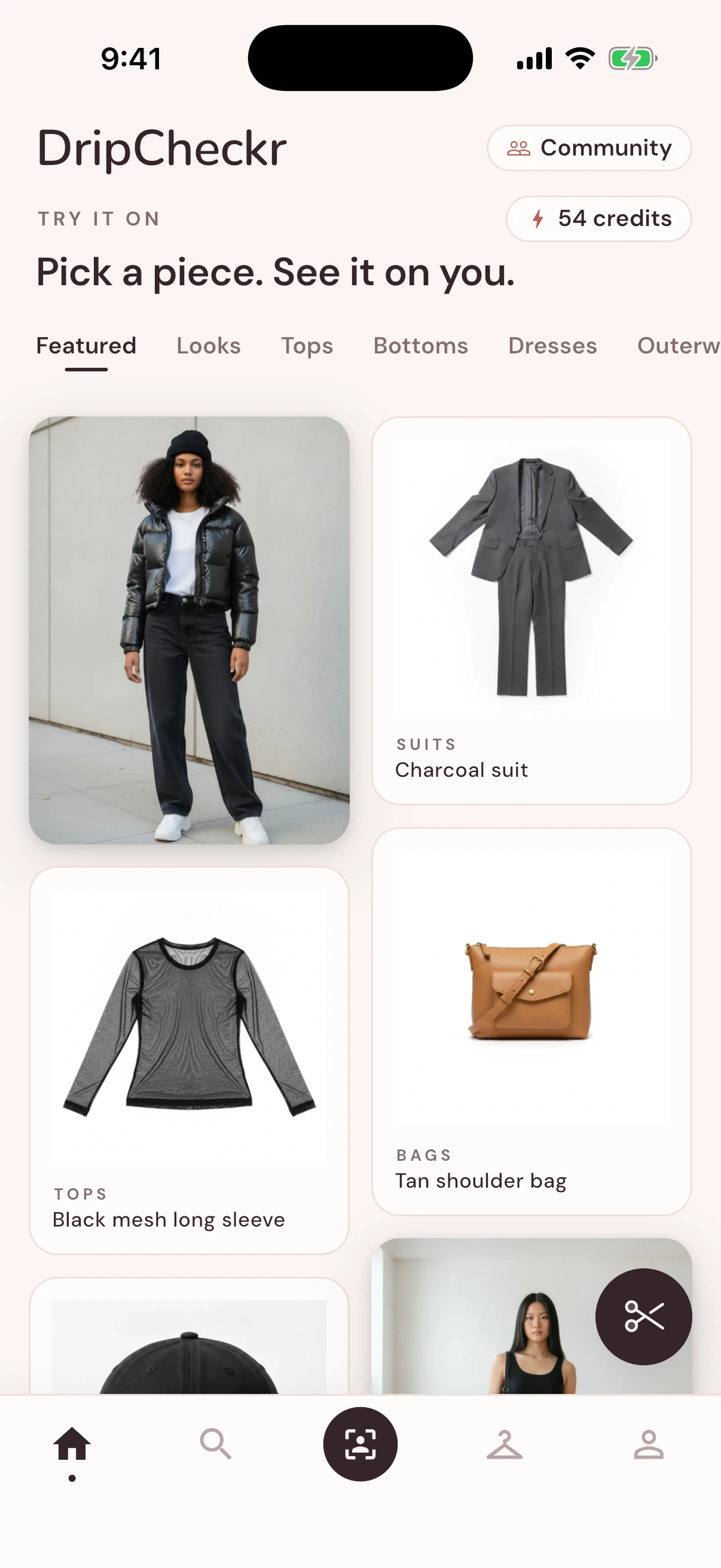
1Add Your Pieces
Clothes you own, or a product photo of something you are still deciding on
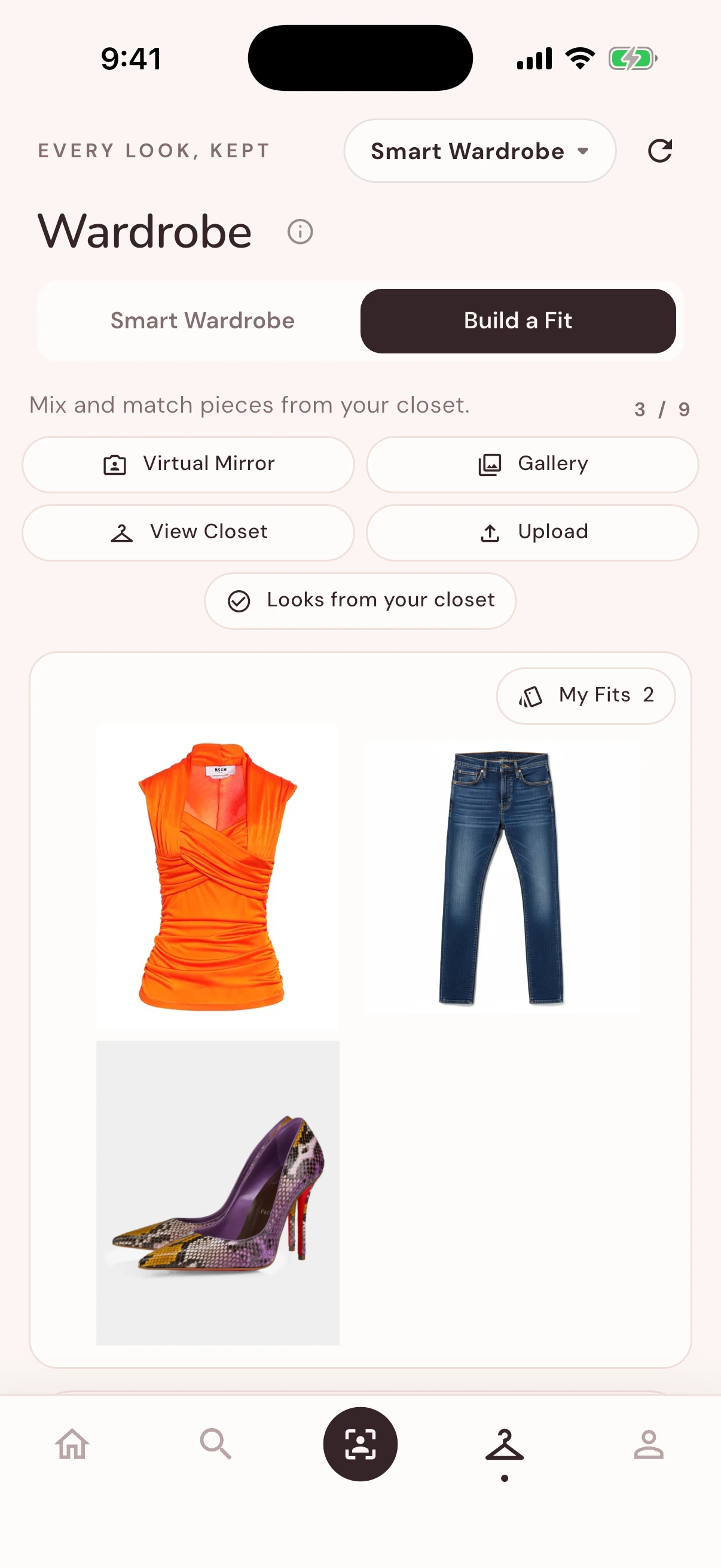
2Build the Fit
Stack pieces by category — pick the dress, pair the heels, mix and match
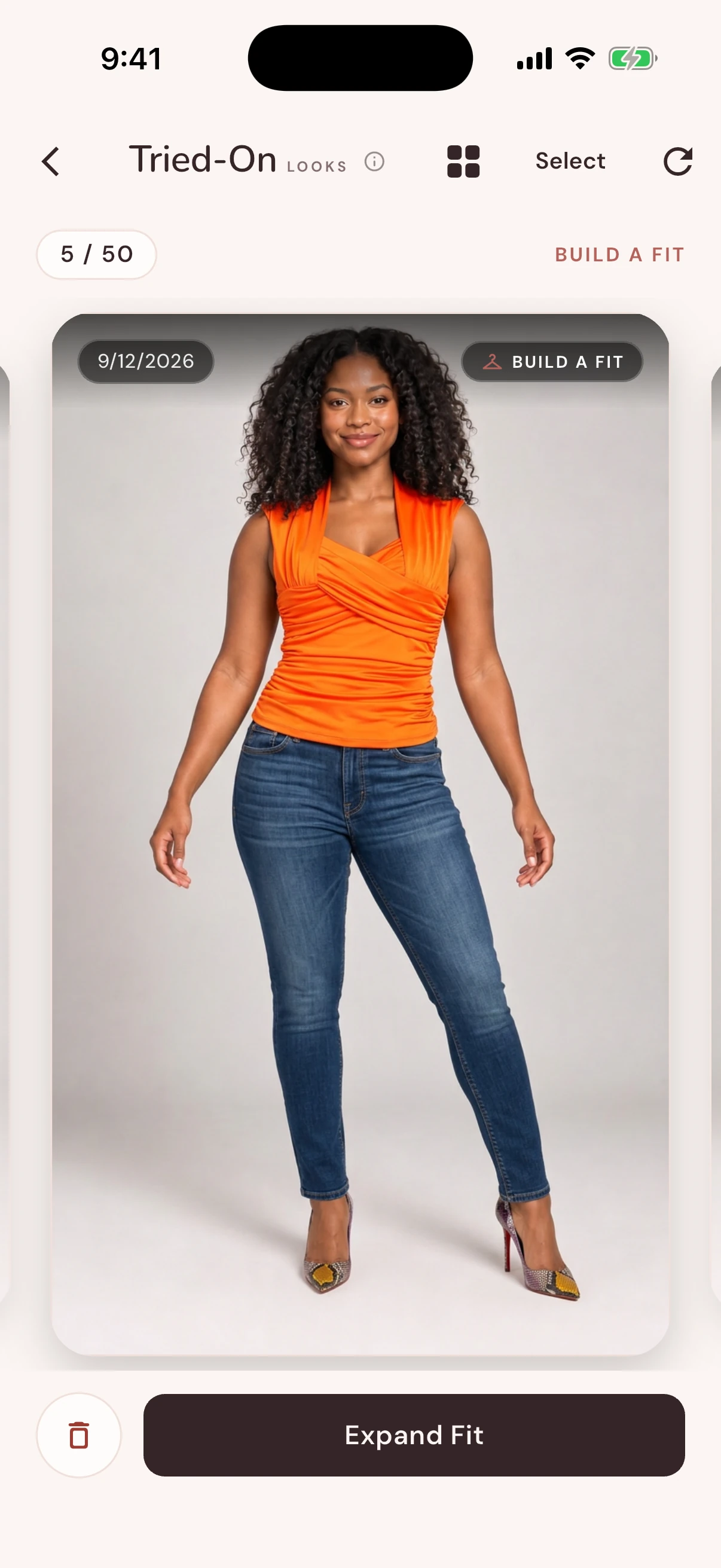
3See It On You
One tap and AI styles the full look onto your body — post it, save it, or shop it
Two Ways to Use It.
One question — "will this actually look good on me?" — in two very different moments.
Getting dressed
Build the fit from clothes hanging in your closet and see it on your body in seconds. No changing five times, no pile on the bed, no leaving the house unsure.
Thinking about buying
Drop in the product photo, put it on your own body, and find out whether it works before the card comes out — instead of after the return window closes.
Everything Else
in the Closet.
Try-on is the heart of it. These are the tools around it for when you want a second opinion.
- •Build a Fit: stack tops, bottoms, shoes, and accessories into one complete outfit
- •Shoppable catalog: try on Looks and Pieces, then save them to your closet
- •Community Fits: open looks other people posted and shop the pieces
- •Closet Scan (Pro): photograph your wardrobe and drop any detection that is wrong
- •Virtual Try-On: see that outfit on your own body, whether you own it yet or not
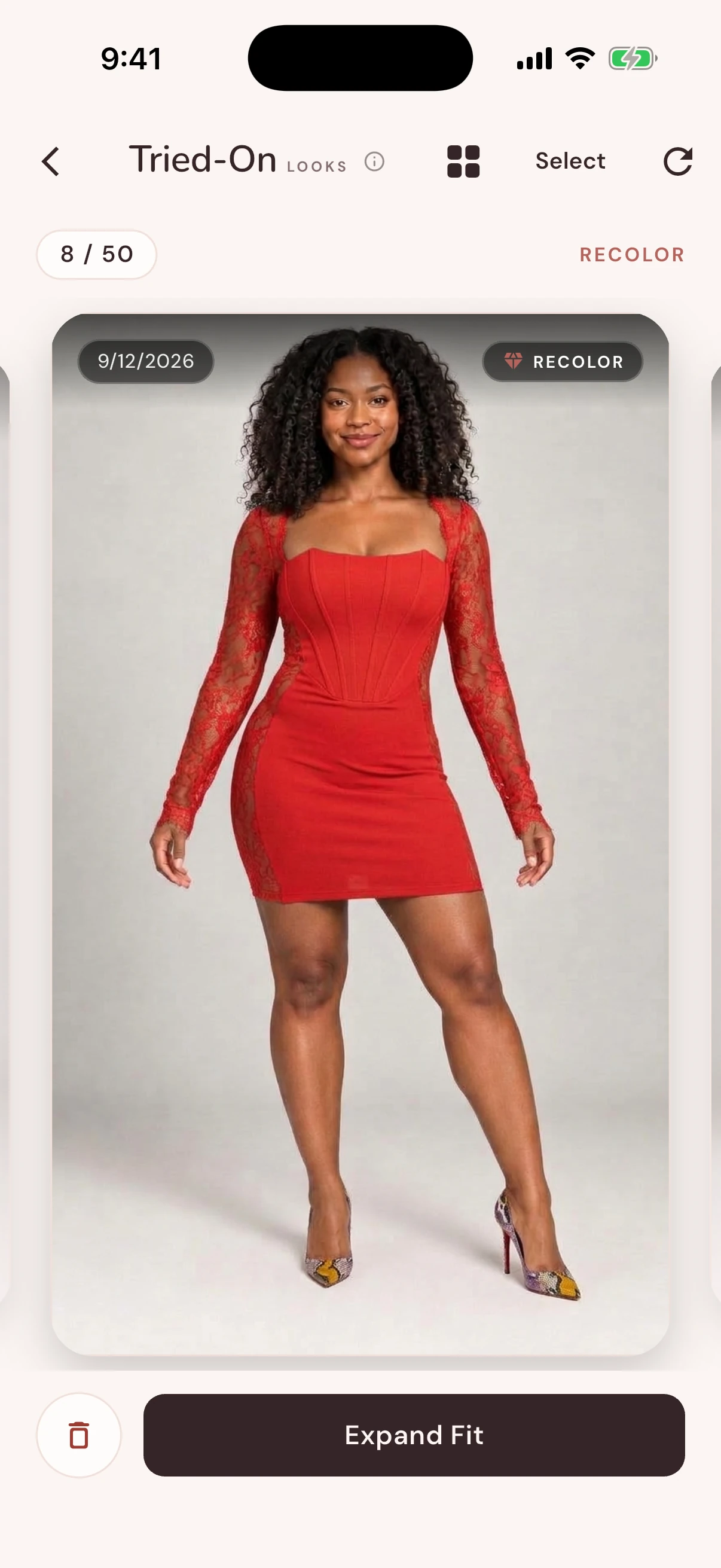
- •Recolor: same fit, different color, without re-shooting a thing
- •AI Style Coach: specific notes on fit, proportion, and color — not just "looks great"
- •Outfit Battles: put your fit up against someone else's and let real people vote
- •Weather Outfits: one tap for ideas that match today's actual forecast
- •Creator Studio (Pro): add affiliate links and see what your followers actually tap
Start Free. Upgrade If You Want.
You get real try-ons before you ever see a payment screen.
Free
Everything you need to find out whether this is for you.
- 3 try-on credits in your first week, then 2 a month
- Build fits and organize your closet
- 1 Recolor a month, 3 Style Coach checks a week
- Vote, post, follow, and enter 1 battle a day
Pro
Weekly, monthly, or annual. Every plan opens with a 3-day free trial.
- 50 try-on credits a month on Monthly and Annual, 10 a week on Weekly — standard costs 1, HD costs 4
- Up to 50 Recolors a month
- Unlimited AI Style Coach
- Up to 10 battle entries a day, plus Creator Studio and Closet Scan
During the 3-day trial you get 5 try-ons and 1 Recolor; full plan allowances begin when the trial converts. Current prices for your country are shown in the App Store and Google Play, and you can cancel any time.
Frequently Asked Questions.
Share the Drip,
Get Rewarded.
Invite a friend to DripCheckr and you both get bonus credits once they sign up and actually use the app.
Grab your referral code from the app
Your friend enters it during sign-up
You both earn bonus credits
Get style tips & updates
New features, outfit ideas, and the occasional drop. No spam, unsubscribe any time.
Stop guessing in front of the mirror.
Build the fit, see it on your own body, and know before you walk out or check out.
iOS and Android. Free to start — no subscription needed.